RF Signal Detector Guide: Spot Hidden Cameras & Trackers
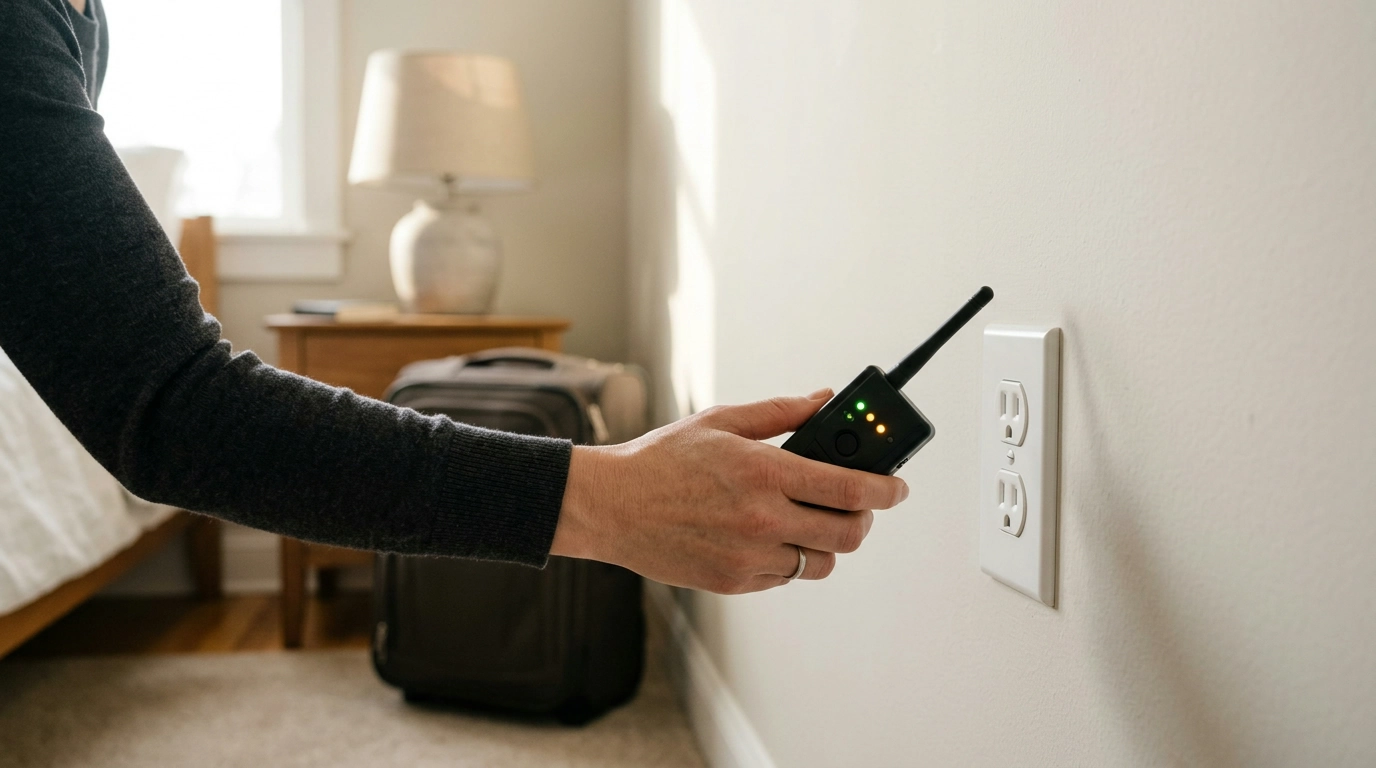
Wireless RF Signal Detectors: Everyday Privacy Checks Without the Drama
Privacy problems rarely announce themselves. Hidden cameras, GPS trackers, and unexpected wireless transmitters can show up in rentals, offices, vehicles, and shared spaces. An RF signal detector gives you a practical way to scan for suspicious radio-frequency activity so you can check your personal space quickly—without turning security into a complicated project.
At our store, we like tools that support a repeatable routine. When you keep your checks short and consistent, you’re more likely to notice “new” activity that doesn’t match what’s normally in the room or vehicle.
What an RF Signal Detector Helps Identify (and What It Doesn’t)
An RF detector is best understood as a screening tool: it helps you spot active wireless transmissions that may not belong.
- Common targets: active wireless transmitters such as some hidden cameras, audio bugs, and certain GPS tracker devices that communicate over cellular or other RF bands.
- Best use case: quick sweeps in places where privacy matters—temporary stays, meeting rooms, vehicles, or anywhere personal conversations and belongings should stay private.
- Important limits: devices that are powered off, purely wired, or not transmitting at the time of your scan may not show up as RF activity.
- Big-picture reality: a detector supports awareness; it doesn’t replace basics like controlling physical access, checking for unfamiliar objects, and reviewing account/security settings.
For broader consumer privacy guidance beyond scanning, reputable resources include the Federal Trade Commission (FTC), FCC Consumer Guides, and the EFF Surveillance Self-Defense.
Where This Tool Fits into a Real Routine
RF scanning works best when it’s treated like locking the door: quick, habitual, and done when circumstances change.
- Travel stays: do a fast scan on arrival, then re-check after housekeeping or maintenance visits.
- Vehicle check: scan near wheel wells, under seats, trunk areas, and around power/USB access points where trackers may be placed or charged.
- Home office and meetings: sweep around desks, conference tables, chargers, and smart-device corners before sensitive calls.
- Shared living spaces: check common areas when boundaries change (new roommate, guest stays, repairs).
- Consistency wins: short, repeatable checks tend to be more useful than a single deep dive you never repeat.
A Simple Scan Method That’s Easy to Repeat
Our team recommends a routine you can run in a few minutes. The goal isn’t perfection—it’s creating a baseline so unusual signals stand out.
- Start clean: reduce known sources of RF noise if possible. Turn off unused devices, pause Bluetooth accessories, and step away from strong Wi‑Fi routers when you can.
- Sweep in zones: move slowly around likely hiding spots—outlets, smoke detectors, decorative objects, vents, behind TVs/monitors, inside drawers, and near charging cables.
- Change distance: if activity increases as you move closer to one spot, pause and scan from multiple angles. Transmitters often show stronger response at close range.
- Verify by elimination: toggle nearby known devices one at a time (your phone hotspot, a smart speaker, a Wi‑Fi camera you own) to learn what “normal” looks like in that environment.
- Follow up: if a specific object or location repeatedly triggers readings, inspect visually and consider professional help where appropriate.
Quick Reference: Common Places to Check First
Use this as a fast checklist before a deeper sweep.
| Location | Why it matters | What to do |
|---|---|---|
| Bedrooms | Highest privacy expectation | Scan around bedside tables, chargers, alarm clocks, vents |
| Bathrooms | High-risk area in rentals | Scan near mirrors, shelves, outlets, décor items |
| Living rooms | Many electronics can mask signals | Scan behind TV stands, streaming boxes, power strips |
| Vehicles | Trackers can be magnet-mounted | Scan wheel wells, under seats, trunk edges |
| Workspaces | Calls and documents | Scan around desks, conference tables, cable runs |
Choosing a Detector: What to Prioritize for Everyday Use
- Portability: a compact detector is more likely to be used regularly (travel bag, glove box, desk drawer).
- Clarity: prioritize simple signaling that helps you spot changes as you move closer/farther from a source.
- Repeatability: a tool that powers on quickly and scans easily builds better habits than a complex setup.
- Realistic range expectations: you’ll typically get better results from slow, close sweeps than a single pass from across the room.
- Practical mindset: treat the detector as a screening step; when something feels off, pair it with visual inspection and common-sense security steps.
Pair It with a Privacy‑Ready Setup
RF scanning gets easier when your environment is organized and predictable.
Recommended Gear from Our Store
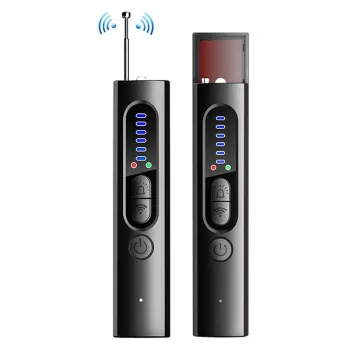
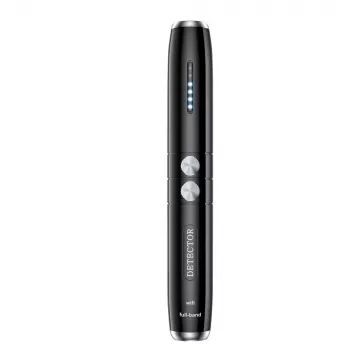
- Wireless RF Signal Detector – Anti Spy Camera & GPS Tracker Finder for fast screening sweeps in rooms, offices, and vehicles.
- Electric Height Adjustable Standing Desk (40×24) to help you keep a consistent, easy-to-scan home office layout for sensitive calls and focused work.
- Learn Smarter with AI Simulations Checklist (Digital Download) if you want a structured way to practice real-life privacy scenarios and decision-making routines.
FAQ
Can an RF signal detector find a hidden camera that isn’t connected to Wi‑Fi?
It can detect active wireless transmissions, so if the camera is transmitting over RF or cellular it may be detectable. Cameras that are powered off, wired-only, or not transmitting at the time may not be found through RF scanning alone.
Why does the detector react in places with lots of electronics?
Routers, phones, smart devices, and even dense wiring can create more RF activity, which can raise background readings. Reduce known sources when possible, scan slowly, and compare what changes as you turn familiar devices on and off.
What should be done if a specific spot keeps triggering a strong reading?
Re-scan from different angles and distances, and remove or power down nearby known devices to isolate the source. If the reading is repeatable, do a careful visual inspection and consider professional assistance or contacting property management/authorities when appropriate.





Leave a comment